How to Add the Facebook Comments Plugin to Your Website — Full Guide + Code
Programming › How to Add the Facebook Comments Plugin to Your Website — Full Guide + Code
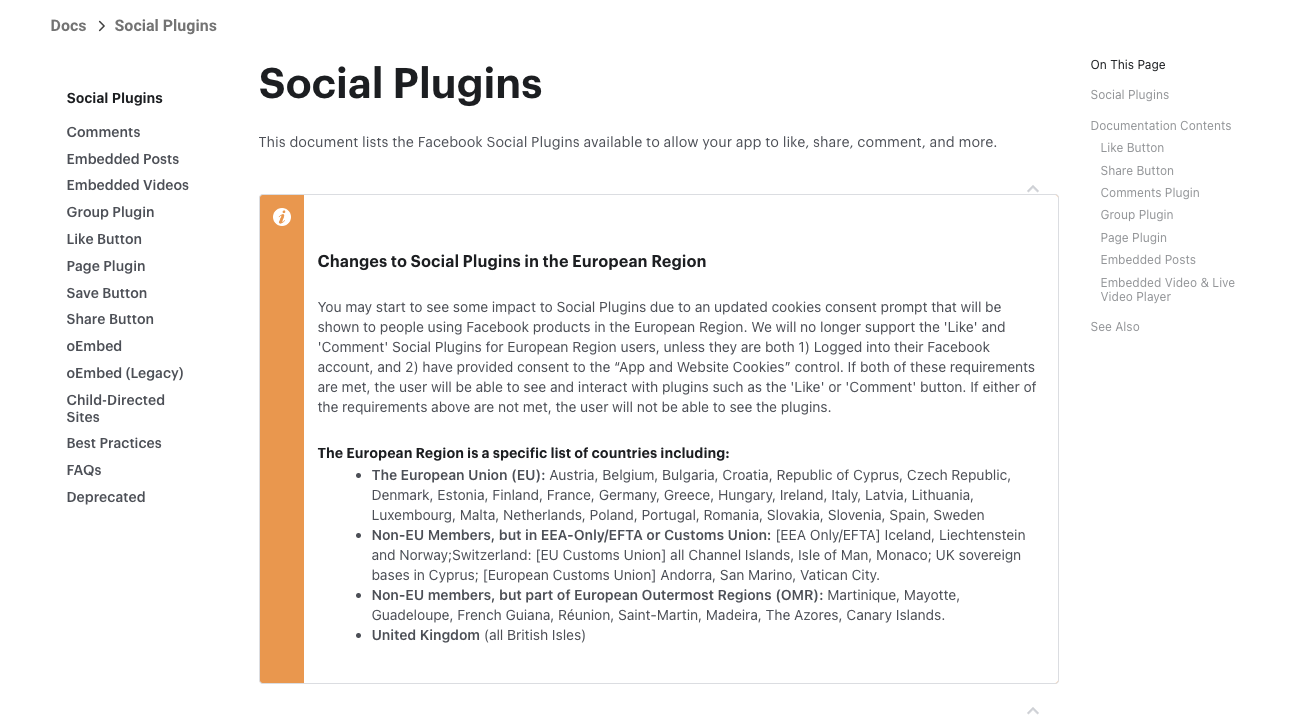
การใช้งาน Facebook Comments Plugin บนเว็บไซต์ของคุณเป็นวิธีที่ยอดเยี่ยมในการเพิ่มการมีส่วนร่วมของผู้ใช้ และช่วยให้พวกเขาสามารถแสดงความคิดเห็นและแชร์คอนเทนต์ได้อย่างง่ายดาย โดยเราจะใช้ Social Plugin ของ Facebook ที่เตรียมไว้ให้ใช้ให้เลยมากมาย ไม่ว่าจะเป็นการแสดงความคิดเห็น กดไลท์ กดแชร์ เป็นต้น
ขั้นตอนการติดตั้ง Facebook Comments Plugin
1. เตรียม Facebook App ID
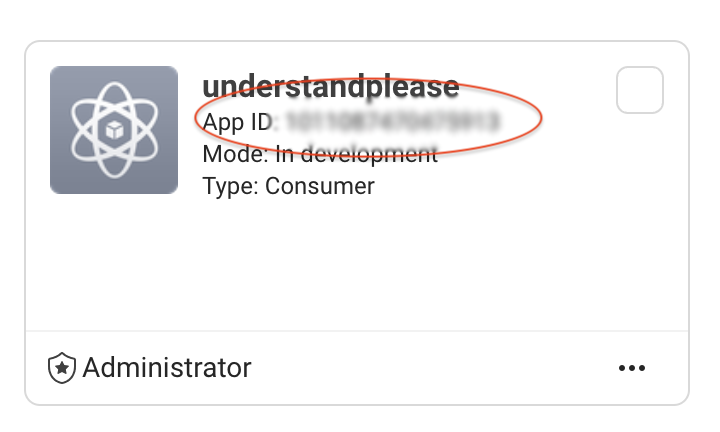
หากคุณยังไม่มี Facebook App ID คุณต้องสร้างแอปใน Facebook Developer เพื่อรับ App ID
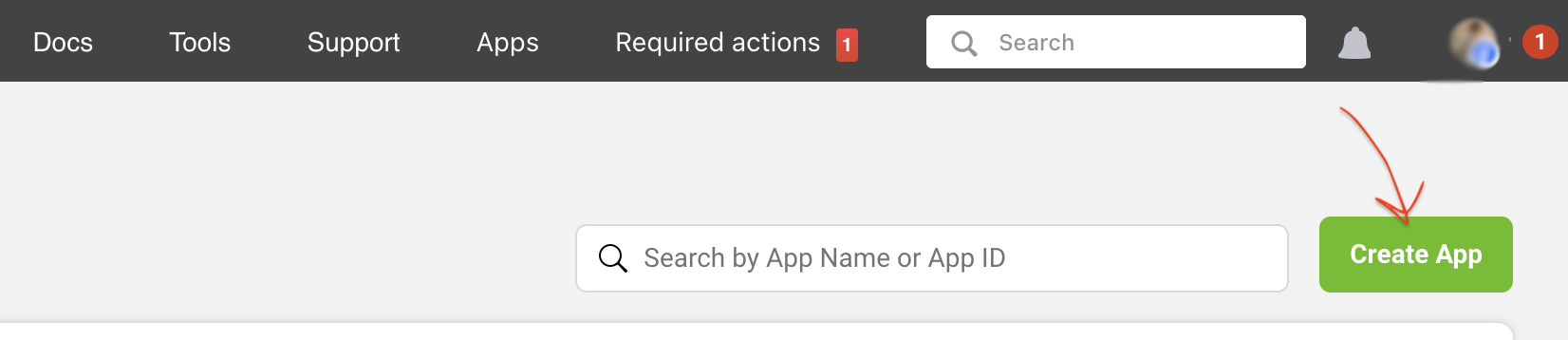
- ให้เข้าไปที่ Facebook for Developers
- ล็อกอินด้วยบัญชี Facebook
- คลิกที่ My Apps ที่มุมบนขวา แล้วเลือก Create App ขึ้นมาใหม่
- เลือกประเภทแอปที่เหมาะสม และทำตามขั้นตอนเพื่อสร้างแอปใหม่ หลังจากสร้างเสร็จ และเราจะได้รับ App ID
2. การสร้างโค้ดสำหรับ Comments Plugin
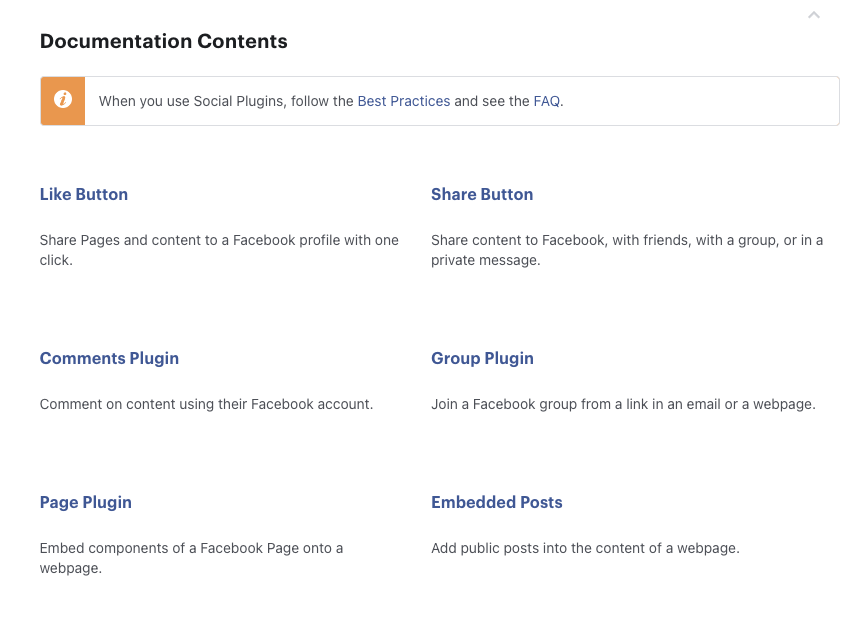
ให้เข้าไปที่ https://developers.facebook.com/docs/plugins/
จะเห็นว่า Social Plugins ของ Facebook ที่เตรียมให้จะมีให้เลือกใช้มากมาย เช่น ปุ่มกดไลท์ ปุ่มกดแชร์ บล็อคแสดงความคิดเห็น ในวันนี้เราจะมาสาธิตวิธีการใช้ Comment Plugin กันครับ
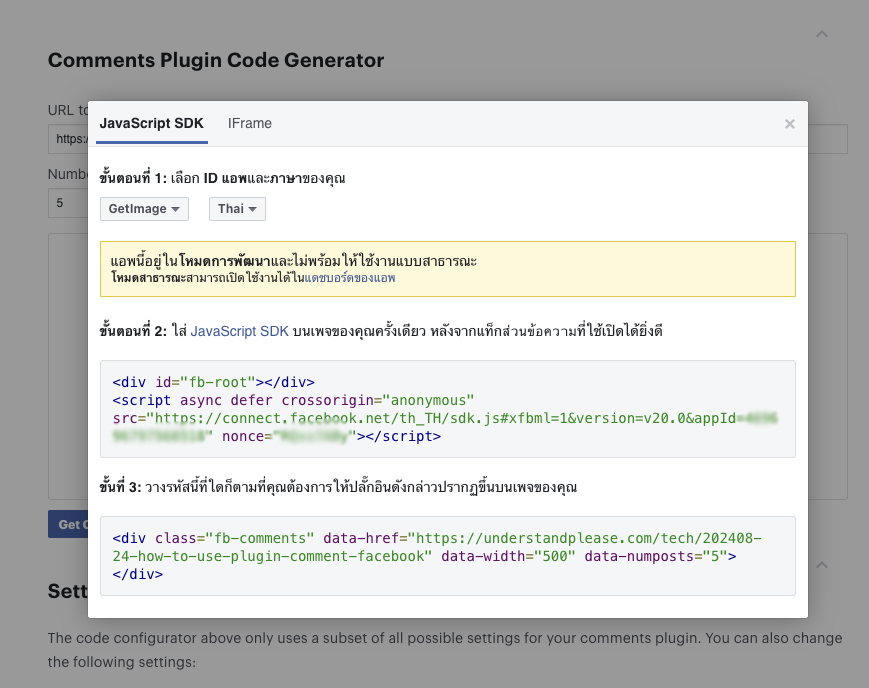
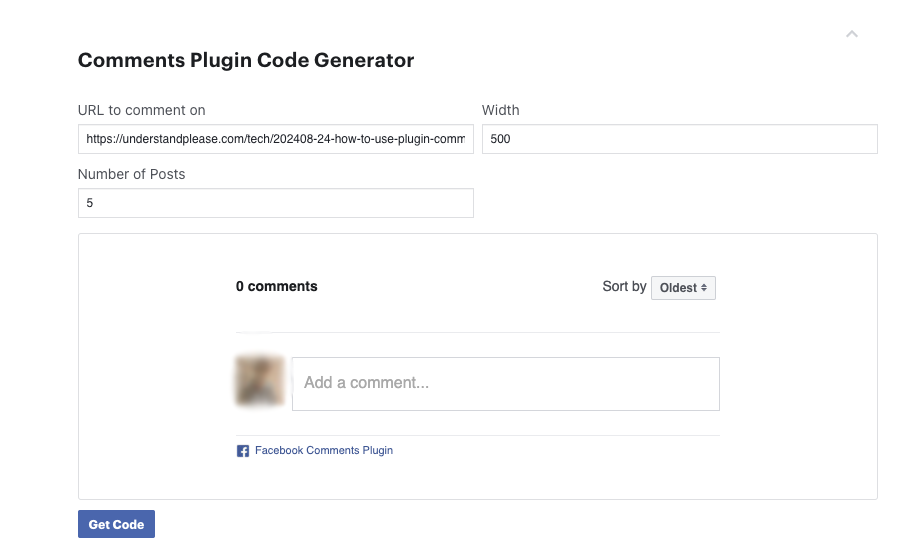
กรอกข้อมูล URL ของหน้าเว็บที่ต้องการให้มีการแสดงความคิดเห็น เราสามารถกำหนดความกว้าง และจำนวนโพสต์ที่ต้องการแสดงได้ จากนั้นกดปุ่ม Get code เพื่อรับโค้ด
กำหนดค่าปลั๊กอิน
- URL of the object: กรอก URL ของหน้าเว็บที่คุณต้องการให้แสดงความคิดเห็น
- Width: กำหนดความกว้างของช่องแสดงความคิดเห็น (เป็น pixel)
- Number of posts: กำหนดจำนวนความคิดเห็นที่ต้องการแสดง
- Options: เลือกตั้งค่าเพิ่มเติม เช่น การแสดงปุ่ม Like, ส่งข้อความ หรือแสดงความคิดเห็นในรูปแบบต่าง ๆ
นำไปวางบนหน้าเว็บไซต์ที่เราต้องการแสดง
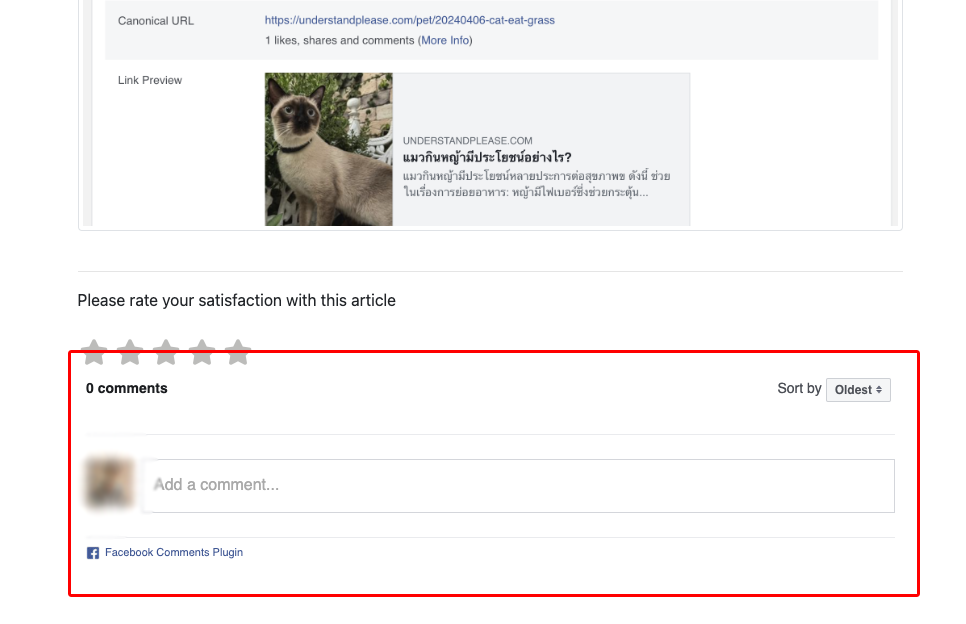
หลังจากนำโค้ดที่ได้รับ ไปวางบนเว็บไซต์ในจุดที่ต้องการเรียบร้อยแล้วผลลัพธ์ของกล่องข้อความแสดงความคิดเห็นก็จะปรากฎตามรูปนี้เลยครับ
แก้ปัญหากล่องแสดงความคิดเห็นของ Facbook ไม่ขยายตามขนาดของ Layout ที่อยู่ 100% ให้ใส่ data-width="100%" ลงใน Tag ของ
และเพิ่มโค้ด Style เพื่อกำหนดขนาดของความกว้างให้เป็น 100% เพื่อแก้ไขปัญหานี้
Please rate your satisfaction with this article

Post a Comment
Your email address will not be displayed to others. Required fields are marked *
Recommended Content