How to Earn Money from Pantip with Google Adsense
Investment and Financial Freedom › How to Earn Money from Pantip with Google Adsense

Pantip.com is one of Thailand’s largest online communities, and now it offers a new way for writers and reviewers to earn money. By linking your Google Adsense account to Pantip, you can start generating income directly from the ads shown in your posts and threads.
How to Set Up Your Pantip Earnings
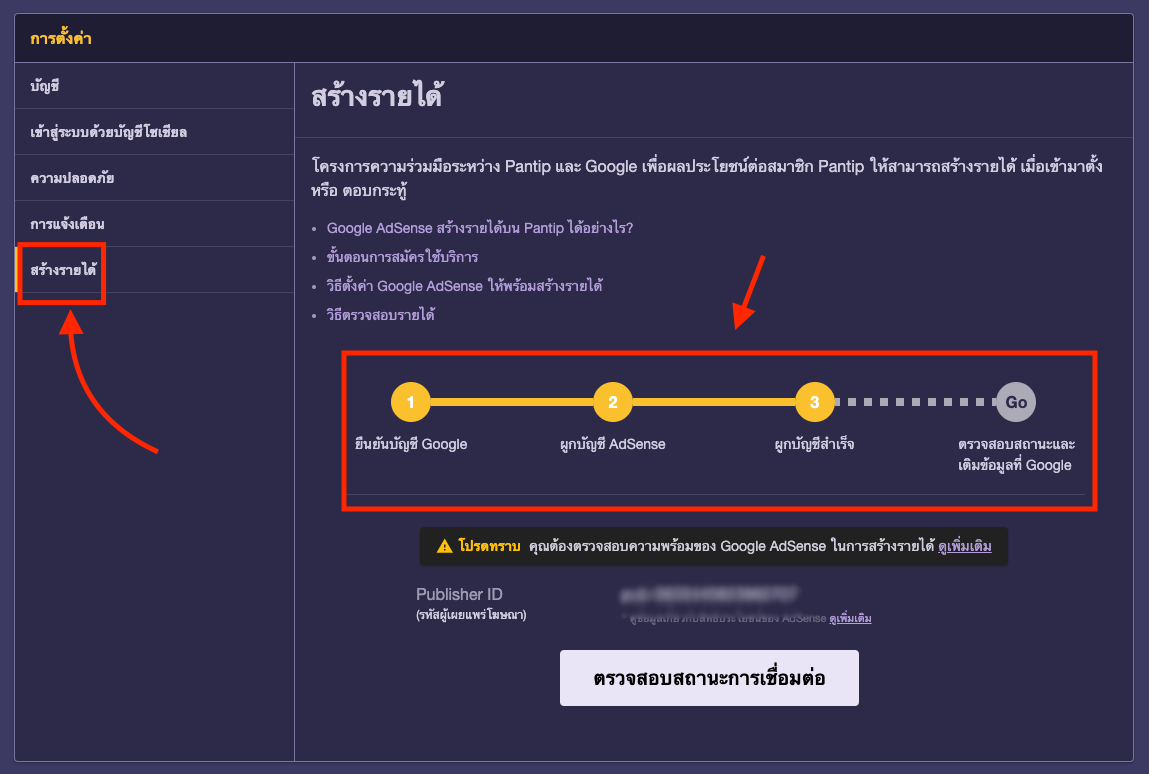
1️⃣ Go to your profile menu and click Settings.
2️⃣ Select the Monetization tab. You’ll find an option to link your Google Adsense account with Pantip. Simply follow the on-screen instructions to authorize your account connection.
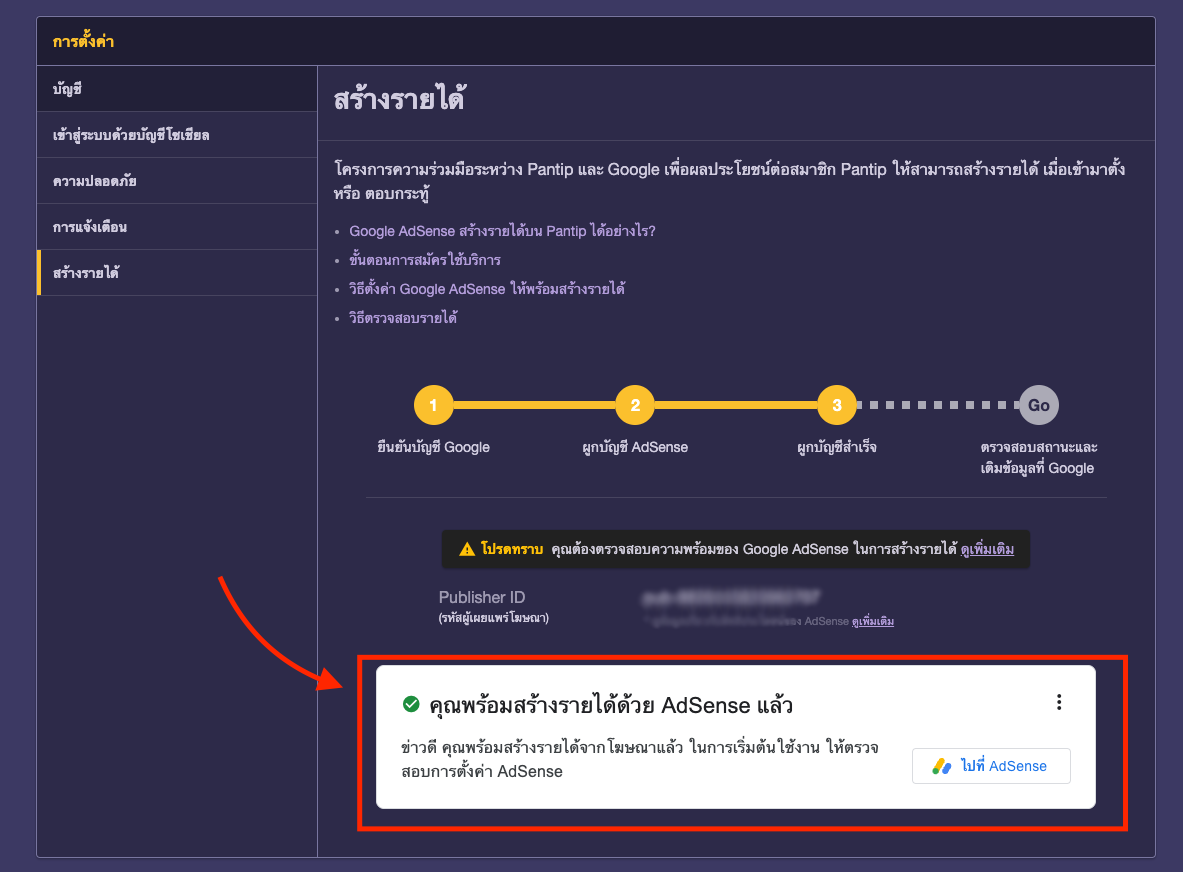
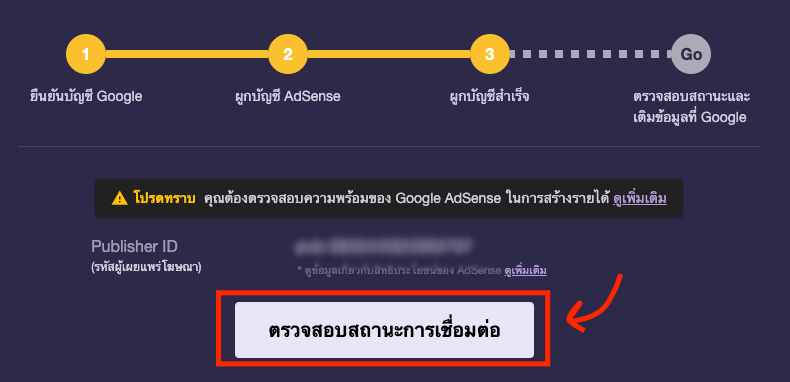
3️⃣ After linking successfully, click Check Connection Status. If everything is set up correctly, you’ll see a green check mark — meaning you’re ready to earn!
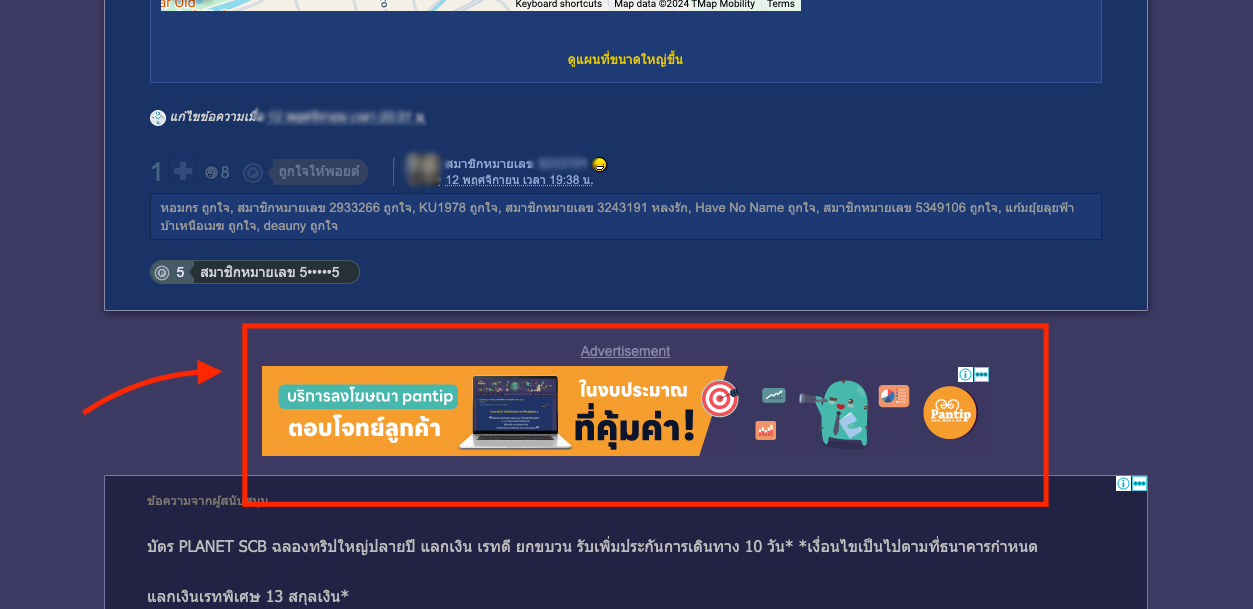
Once activated, every post or review you publish on Pantip will automatically display Adsense ads. Revenue is calculated based on ad views and engagement, and credited directly to your Google Adsense account.
Example: Automatic Ads Displayed Between Comments
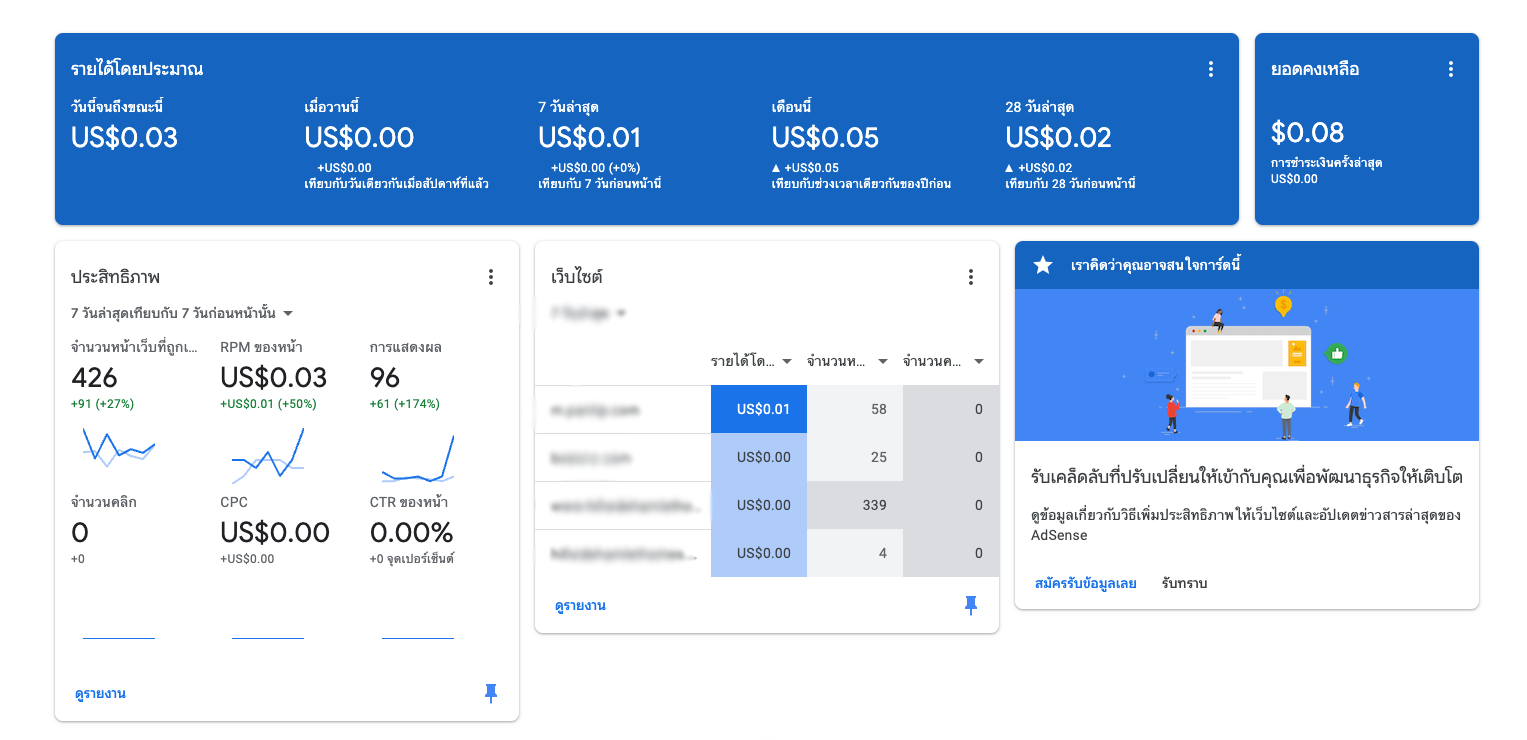
All ad performance data and earnings can be viewed on your Google Adsense dashboard via https://www.google.com/adsense.
Please rate your satisfaction with this article

Post a Comment
Your email address will not be displayed to others. Required fields are marked *
Recommended Content