What Are MQL4 and MT4? Beginner’s Guide to Building Your First Expert Advisor (EA)
Investment and Financial Freedom › What Are MQL4 and MT4? Beginner’s Guide to Building Your First Expert Advisor (EA)
What Are MQL4 and MT4?
MQL4 (MetaQuotes Language 4) is a programming language used to develop Expert Advisors (EAs), Indicators, Scripts, and Custom Functions on MetaTrader 4 (MT4) — one of the most popular Forex trading platforms.
- MetaTrader 4 (MT4) – A Forex and CFD trading software equipped with charting tools and automated trading capabilities.
- MQL4 – A programming language for developing automated trading bots (EAs) and custom indicators.
How to Start Writing an EA on MT4
1. Install MetaTrader 4 and MetaEditor
- Download MT4 from your broker’s website.
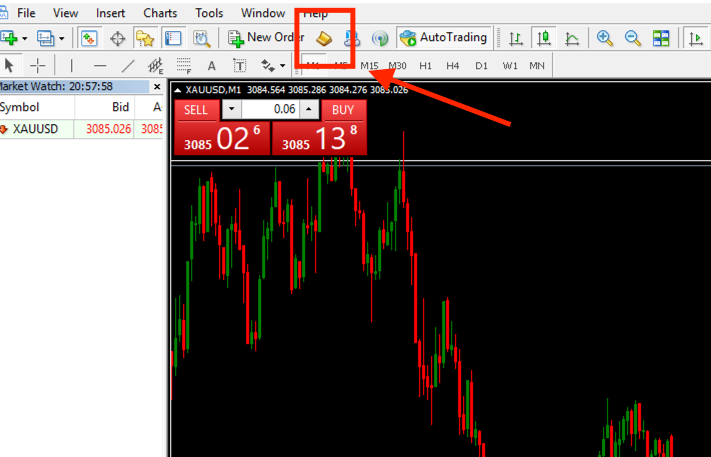
- Open MT4 and press F4 to launch MetaEditor (the coding environment for MQL4).
Create a New EA File
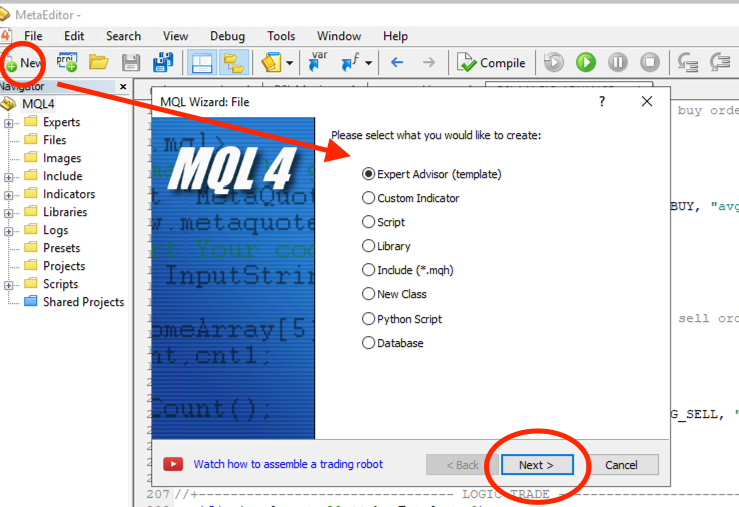
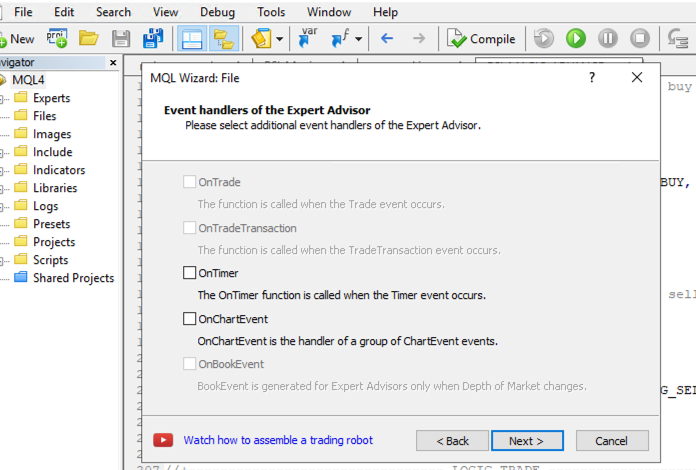
- In MetaEditor, go to File > New.
- Select Expert Advisor (template).
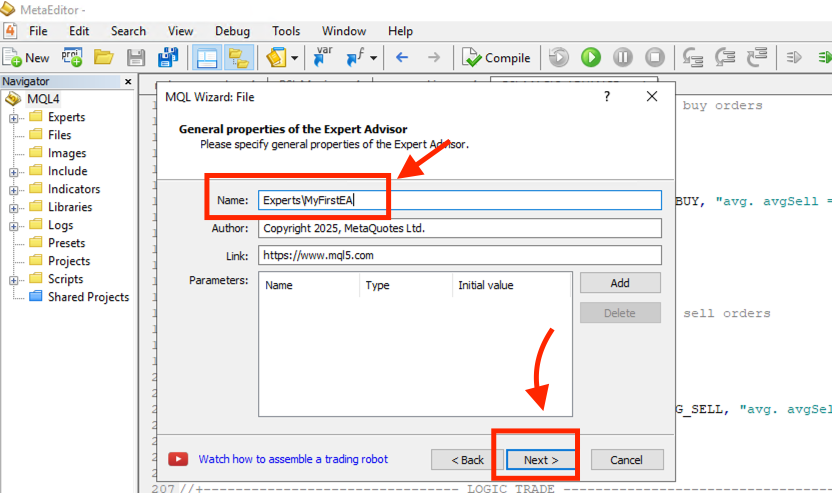
- Enter a name for your file, e.g. MyFirstEA.
- Click Next > Finish.

Basic Structure of an EA
An Expert Advisor consists of three main functions:
How to Test Your EA in MT4
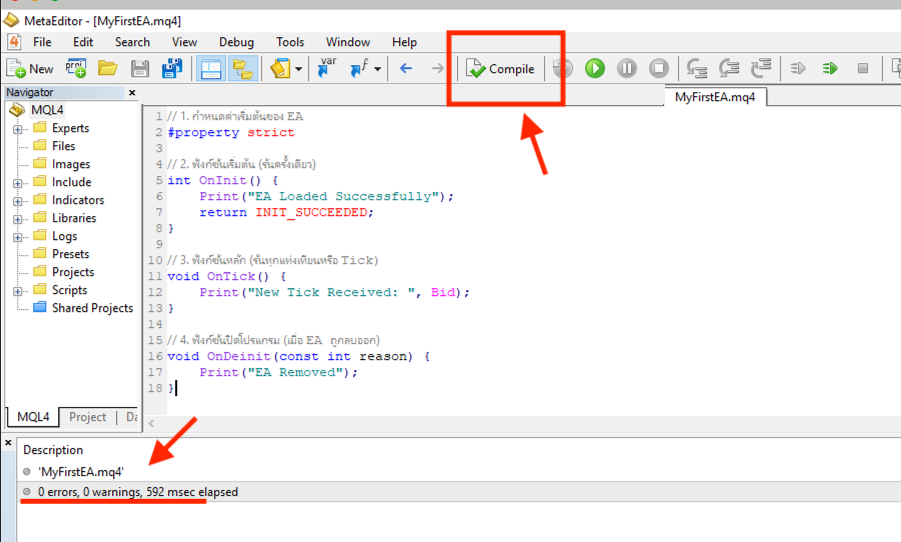
After finishing your code, click Compile to convert it into an .ex4 file. Make sure there are no errors — your EA is now ready to use!
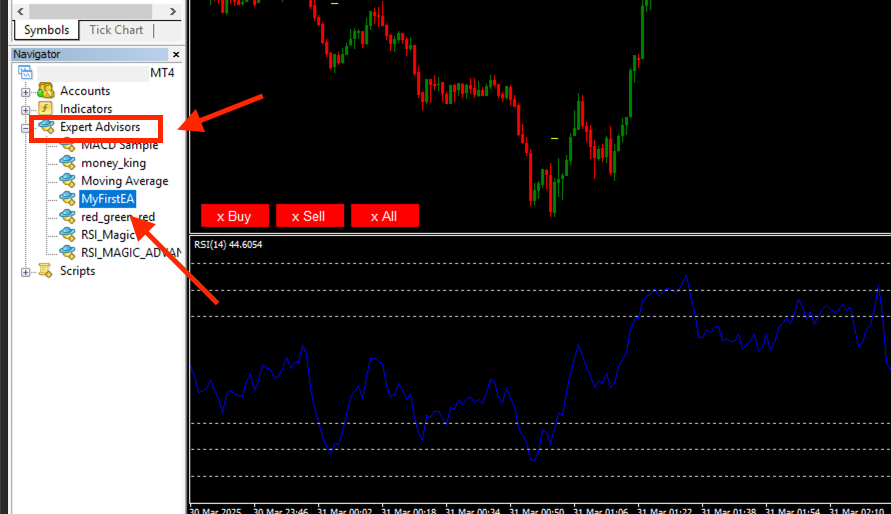
Then, open MT4 and go to Navigator > Expert Advisors. Drag your newly created EA onto the desired chart — your EA is now running.
Make sure the smiley icon in the top-right corner of your chart is smiling 😊 If it’s not, that means automated trading isn’t enabled yet.
Go to Tools > Options and enable One Click Trading.
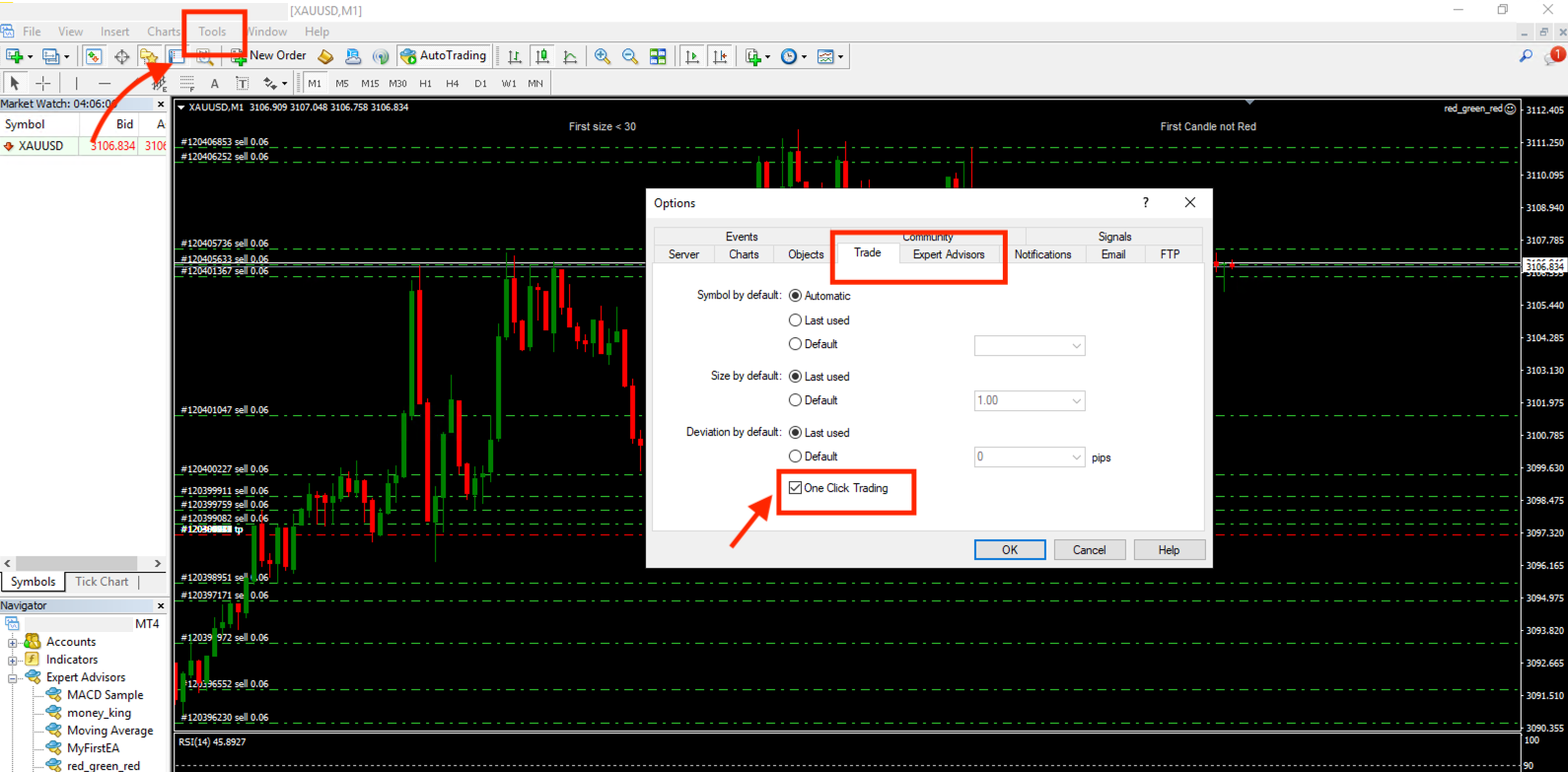
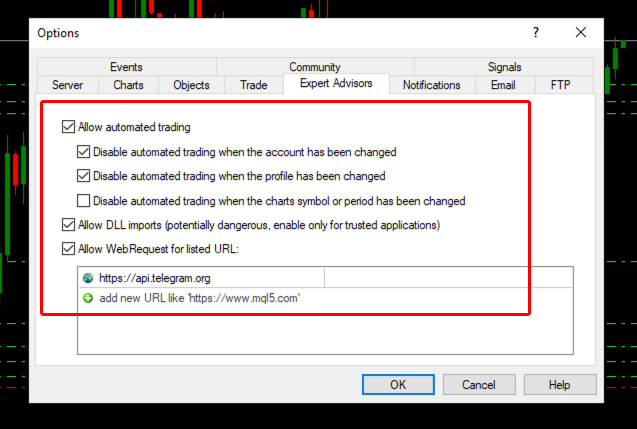
Next, open the Expert Advisors tab and tick Allow automated trading. Reattach your EA to the chart — once the smiley face appears, it’s active!
Please rate your satisfaction with this article

Post a Comment
Your email address will not be displayed to others. Required fields are marked *
Recommended Content