What Is Google Search Console? How to Verify & Use It for SEO Success
Technology › What Is Google Search Console? How to Verify & Use It for SEO Success
Google Search Console: เครื่องมือคู่ใจสำหรับสาย SEO
Google Search Console คือเครื่องมือฟรีจาก Google ที่ออกแบบมาเพื่อช่วยให้เจ้าของเว็บไซต์และผู้ทำ SEO ตรวจสอบและดูแลเว็บไซต์ของตนให้มีประสิทธิภาพมากขึ้นบนผลการค้นหาของ Google โดยเครื่องมือนี้จะให้ข้อมูลเชิงลึกเกี่ยวกับวิธีที่ Google เข้าใจและจัดอันดับเว็บไซต์ของคุณ รวมถึงช่วยแก้ไขปัญหาที่อาจเกิดขึ้นได้
ทำไม Google Search Console ถึงสำคัญสำหรับสาย SEO?
- เข้าใจพฤติกรรมผู้ใช้: ตรวจสอบคำค้นหาที่นำผู้ใช้เข้ามาในเว็บไซต์ของคุณ เพื่อให้คุณปรับปรุงเนื้อหาให้ตรงกับความต้องการของผู้ใช้มากขึ้น
- ตรวจสอบปัญหาทางเทคนิค: ค้นหาและแก้ไขปัญหาต่างๆ เช่น ลิงก์เสีย, หน้าเว็บที่ไม่มีอยู่ในดัชนี, หรือข้อผิดพลาดในการรวบรวมข้อมูล เพื่อให้ Google สามารถเข้าถึงและจัดทำดัชนีเว็บไซต์ของคุณได้อย่างถูกต้อง
- ติดตามประสิทธิภาพ: วัดผลลัพธ์ของการทำ SEO ว่ามีประสิทธิภาพมากน้อยเพียงใด และปรับปรุงกลยุทธ์ให้ดียิ่งขึ้น
- ได้รับแจ้งเตือน: เมื่อมีการเปลี่ยนแปลงที่สำคัญเกี่ยวกับเว็บไซต์ของคุณ เช่น การถูกแฮ็ก หรือการปรับอัลกอริทึมของ Google
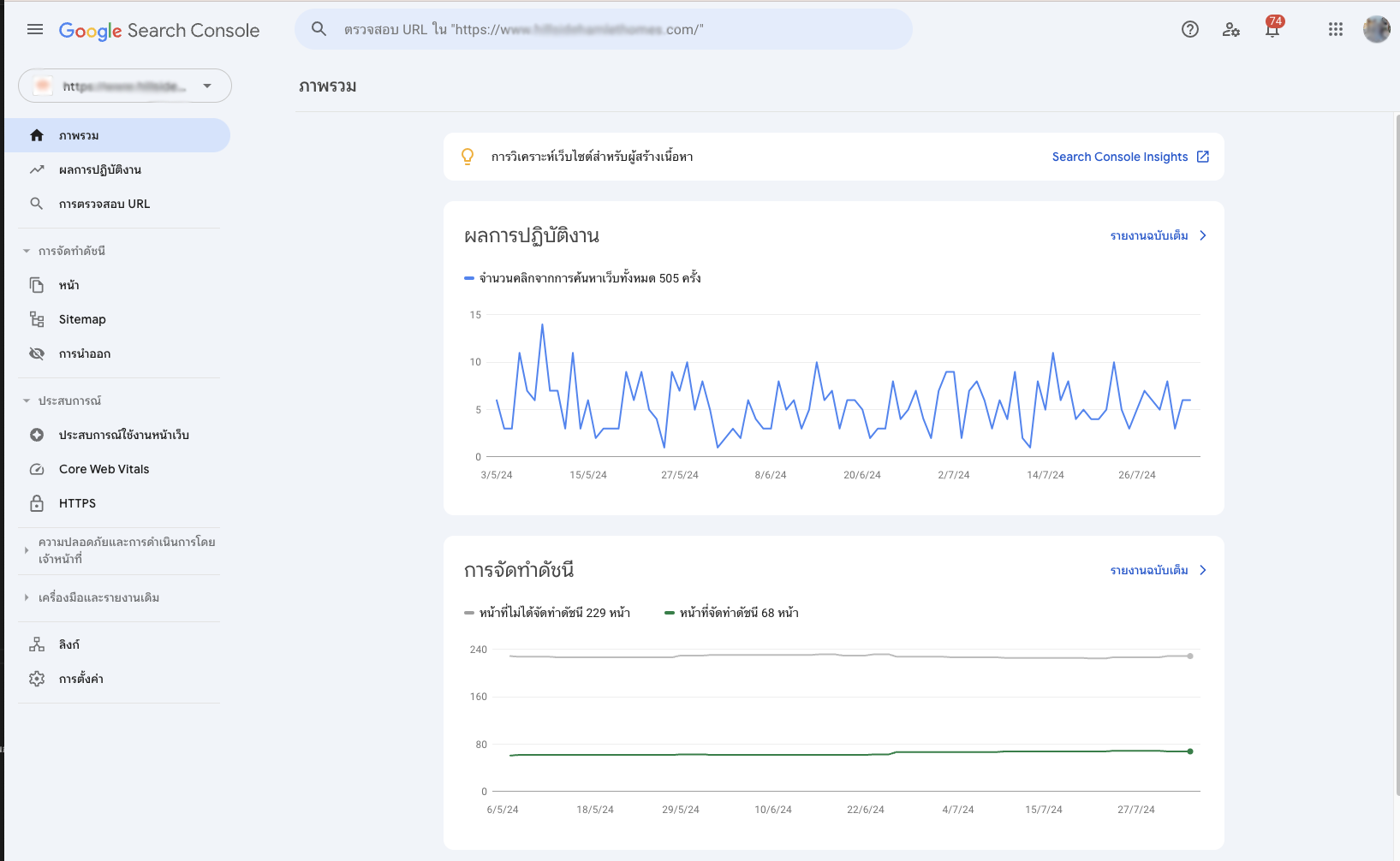
ฟังก์ชันหลักของ Google Search Console
- ประสิทธิภาพ: ตรวจสอบจำนวนคลิก, อัตราการคลิกผ่าน, และตำแหน่งเฉลี่ยของเว็บไซต์ของคุณในผลการค้นหา
- Google อินเด็กซ์: ตรวจสอบว่าหน้าเว็บของคุณถูกจัดทำดัชนีหรือไม่ และมีปัญหาในการจัดทำดัชนีหรือไม่
- ลิงก์: ดูว่าเว็บไซต์อื่นๆ ลิงก์มาที่เว็บไซต์ของคุณอย่างไรบ้าง
- ประสบการณ์การค้นหา: ตรวจสอบว่าเว็บไซต์ของคุณแสดงผลบนอุปกรณ์เคลื่อนที่ได้ดีเพียงใด และมีข้อผิดพลาดในการแสดงผลหรือไม่
- ความปลอดภัยและการถูกแฮ็ก: ตรวจสอบว่าเว็บไซต์ของคุณถูกแฮ็กหรือมีมัลแวร์หรือไม่
วิธีใช้งาน Google Search Console
1. เข้าสู่ Google Search Console: ไปที่ https://search.google.com/search-console
2. ยืนยันกรรมสิทธิ์เว็บไซต์: เลือกวิธีการยืนยันที่เหมาะสม เช่น การเพิ่มโค้ด meta tag หรือการอัปโหลดไฟล์ HTML สามารถทำตามขั้นตอนที่แนะนำหลังจากใส่ domain ของคุณในขั้นตอนถัดไปได้เลย
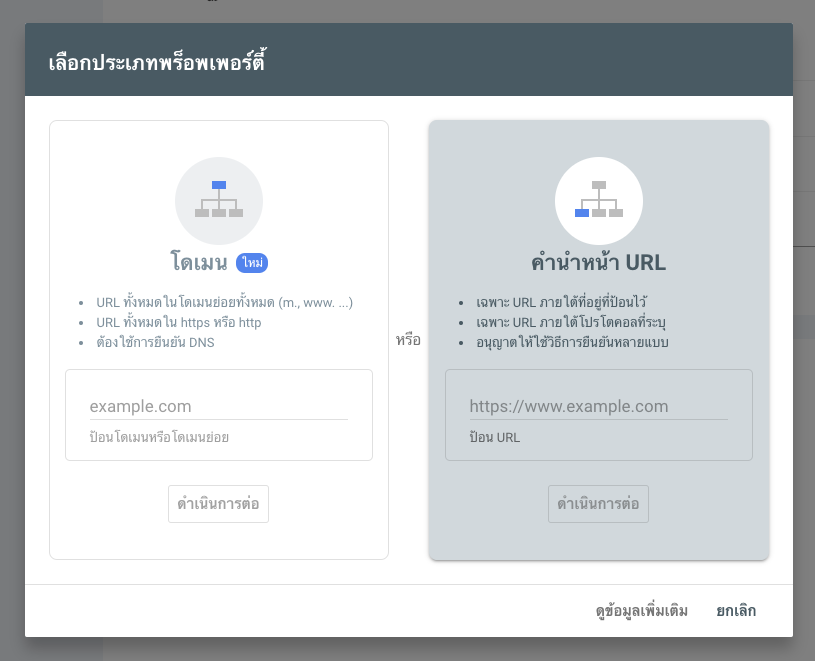
เช่น เลือกยืนยันด้วย meta tag ให้นำโค้ดไปใส่ในส่วนของ header แล้วกดยืนยัน
<meta name="google-site-verification" content="xxxxxxx" />
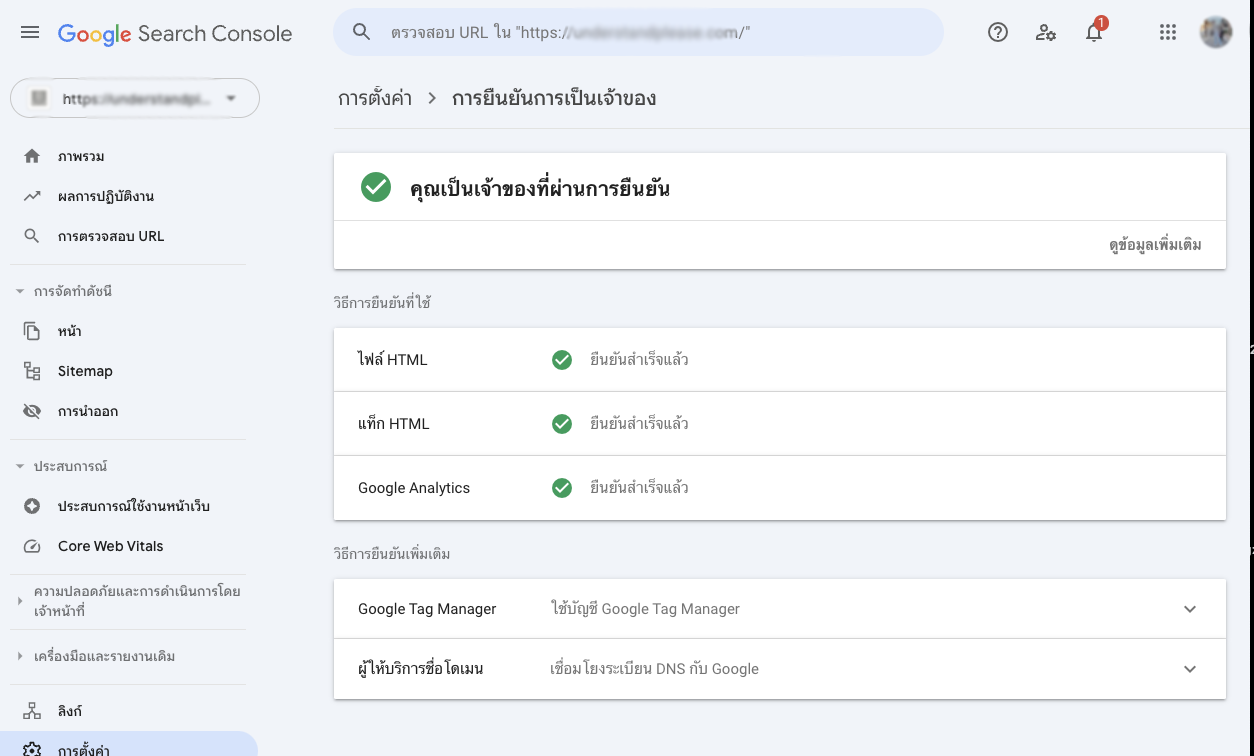
สามารถเพิ่มการยืนยันได้อีกหลายวิธี เช่น download ไฟล์ .html แล้ว upload ขึ้นไปที่อยู่ของเว็บไซต์แล้วกดยืนยันตัวตน

- สำรวจข้อมูล: เริ่มต้นด้วยการตรวจสอบรายงาน "ประสิทธิภาพ" เพื่อดูภาพรวมของการเข้าชมเว็บไซต์
- แก้ไขปัญหา: หากพบปัญหาใดๆ ให้ดำเนินการแก้ไขตามคำแนะนำของ Google Search Console
- ปรับปรุงเนื้อหา: ใช้ข้อมูลที่ได้จาก Search Console เพื่อปรับปรุงเนื้อหาและโครงสร้างเว็บไซต์ให้ดียิ่งขึ้น
Google Search Console เป็นเครื่องมือที่จำเป็นสำหรับผู้ที่ต้องการให้เว็บไซต์ของตนประสบความสำเร็จในการค้นหาของ Google การเรียนรู้วิธีใช้งานและนำข้อมูลที่ได้ไปปรับใช้ จะช่วยให้คุณเพิ่มปริมาณการเข้าชมเว็บไซต์และปรับปรุงประสบการณ์ของผู้ใช้ได้อย่างมีประสิทธิภาพ
Please rate your satisfaction with this article

Post a Comment
Your email address will not be displayed to others. Required fields are marked *
Recommended Content