How to Create a LINE Messaging API – Set up Webhook & Access Token for Auto Reply
Technology › How to Create a LINE Messaging API – Set up Webhook & Access Token for Auto Reply
16 Mar 2025 13:24
การสร้าง Messaging API สำหรับ LINE Official Account เพื่อให้สามารถตอบกลับอัตโนมัติได้ มีขั้นตอนการทำที่ไม่ยากเกินไปเราสามารถดำเนินได้ตามนี้เลยครับ
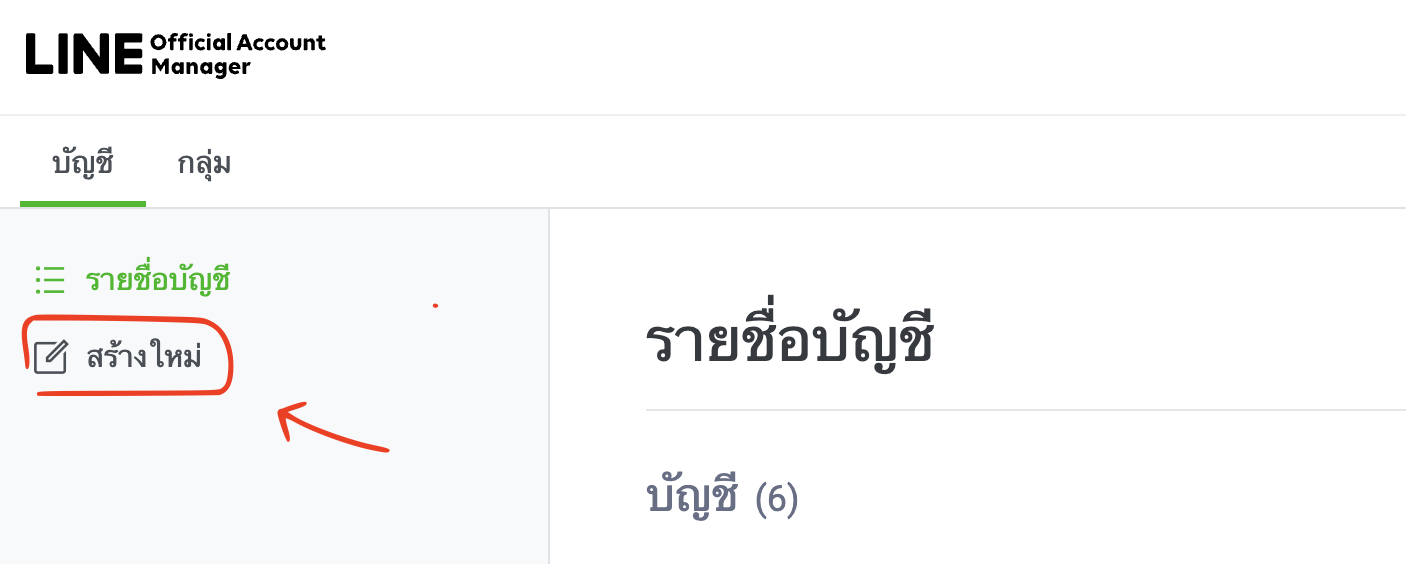
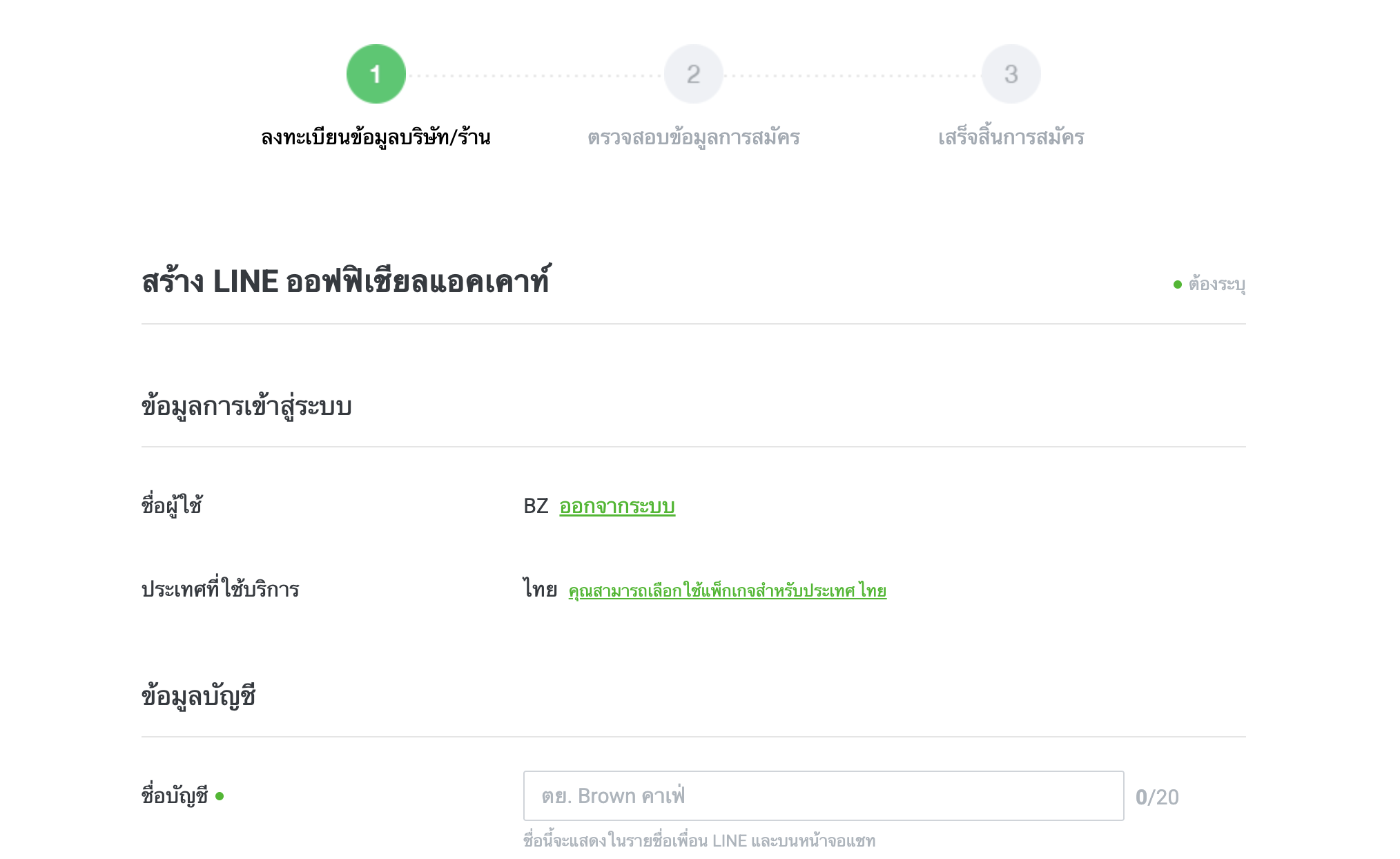
1. สร้าง LINE Official Account
- ไปที่ LINE Official Account Manager
- ลงชื่อเข้าใช้ด้วยบัญชี LINE ของคุณ
- กด "สร้างบัญชีใหม่" และกรอกข้อมูลที่จำเป็น
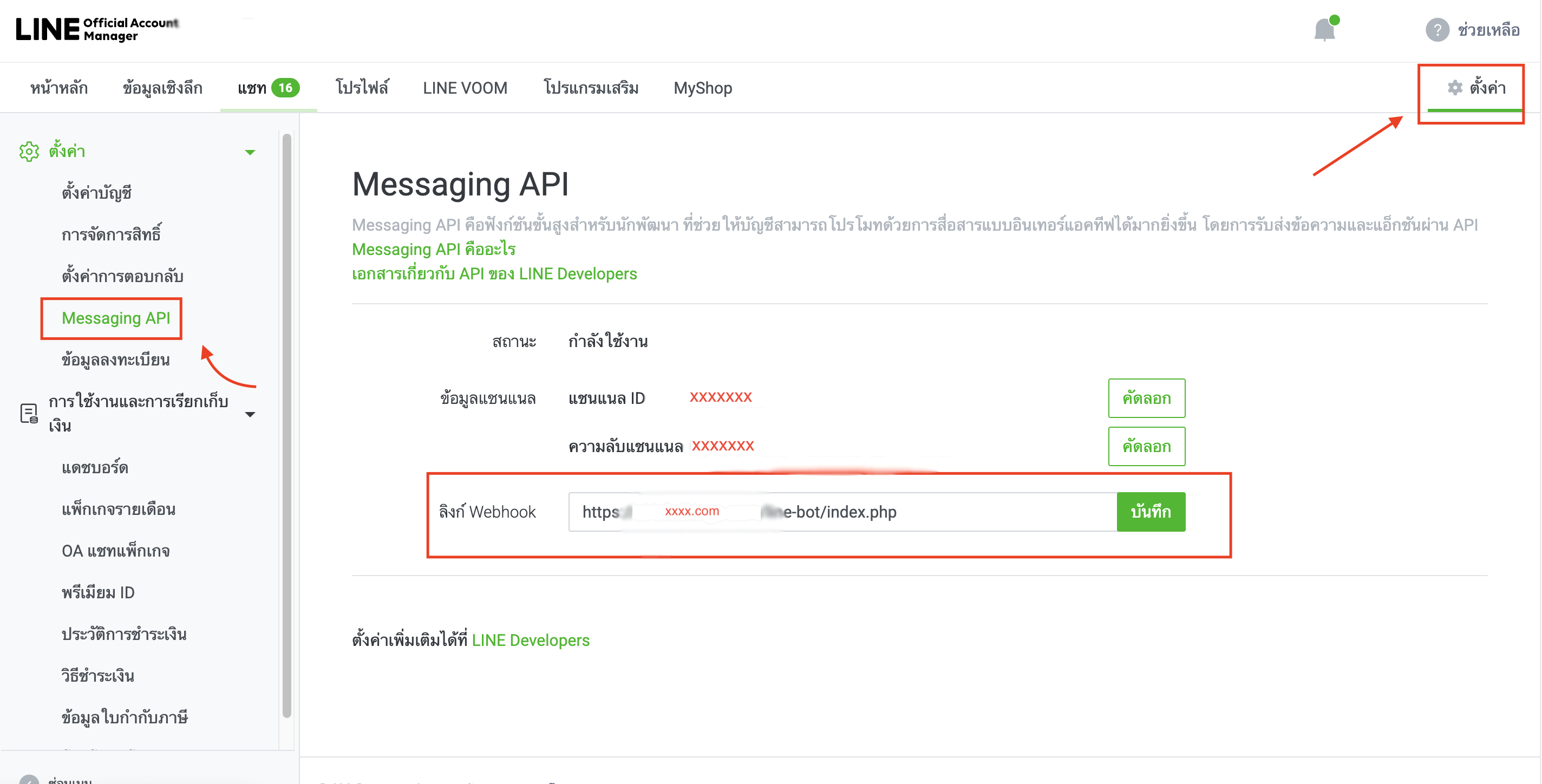
2. สมัครใช้ Messaging API
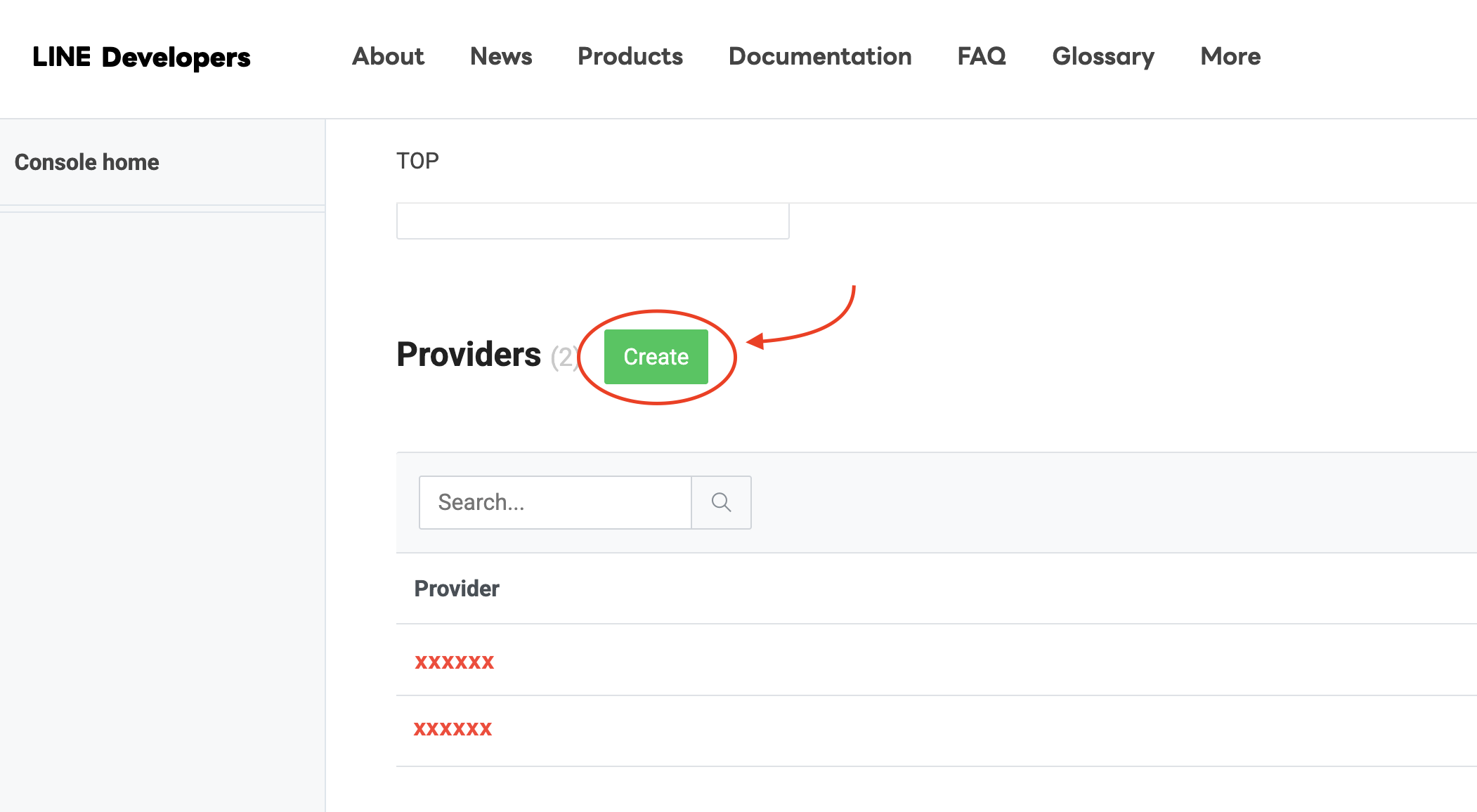
- ไปที่ LINE Developers Console
- ลงชื่อเข้าใช้ และกด "Create a Provider" (สร้างผู้ให้บริการ)
- ตั้งชื่อ Provider และกด "Create"
- คลิกที่ Provider ที่สร้างขึ้น และเลือก "Create a Channel"
- เลือก "Messaging API"
- กรอกข้อมูลที่จำเป็น และกดยืนยันเพื่อสร้าง Channel
3. รับ Channel Access Token
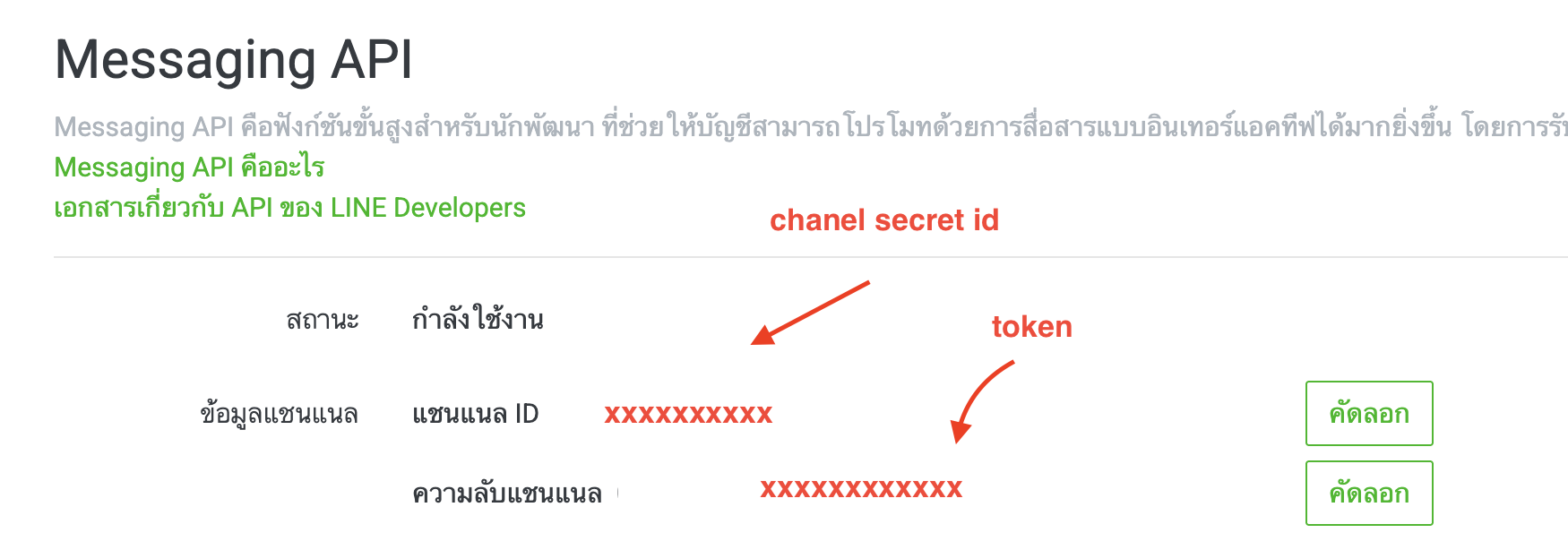
- ไปที่ Messaging API settings
- ค้นหา "Channel access token"
- กดปุ่ม "Issue" เพื่อสร้าง Token และคัดลอกไปใช้
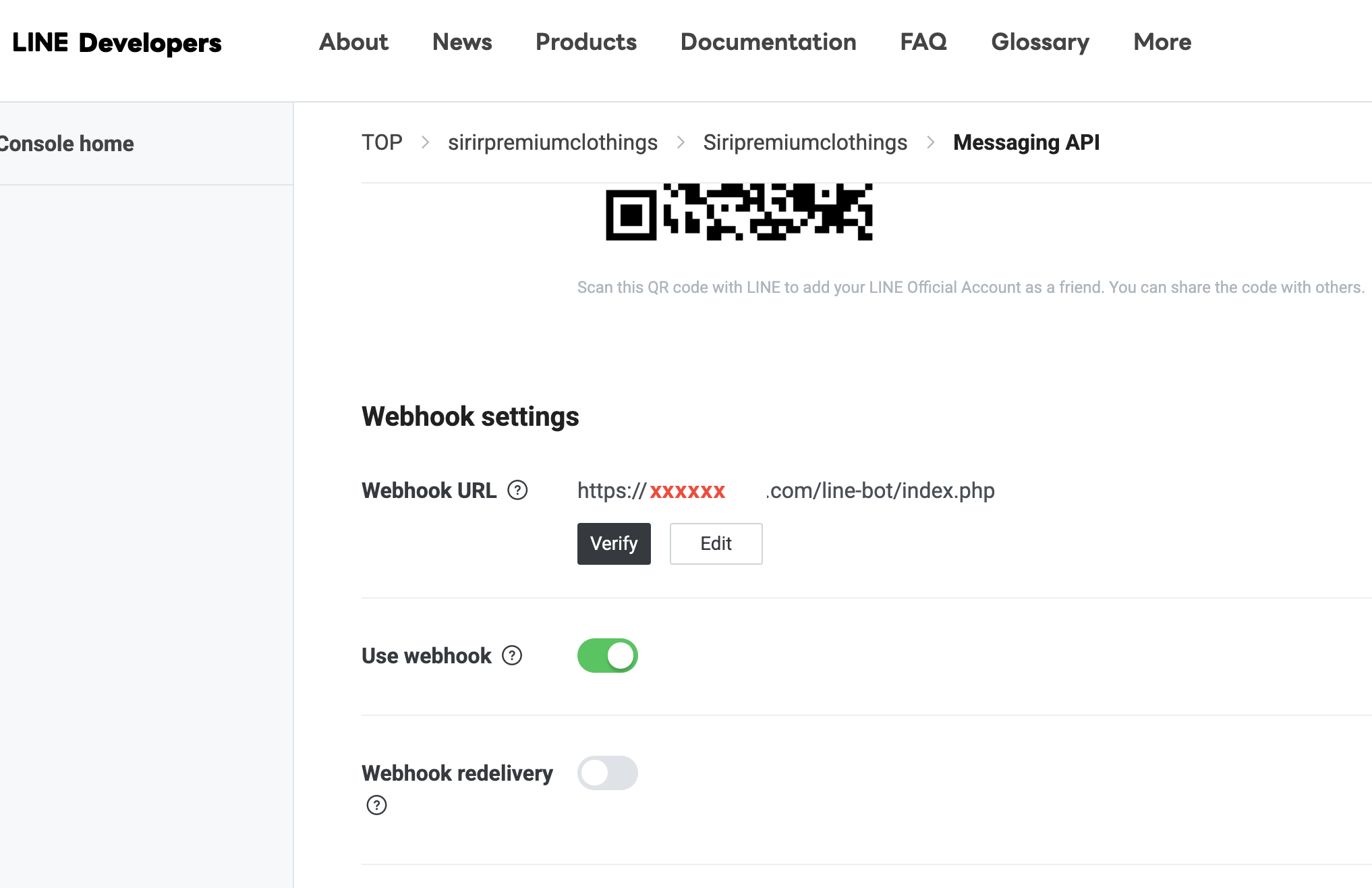
4. ตั้งค่า Webhook URL
- เปิดใช้งาน Webhook โดยไปที่ Messaging API settings
- ค้นหา "Webhook URL" แล้วใส่ URL ของเซิร์ฟเวอร์ที่ใช้รับส่งข้อความอัตโนมัติ
- กด "Verify" เพื่อตรวจสอบว่า Webhook ใช้งานได้
สรุป
- สร้าง LINE Official Account
- สมัครใช้ Messaging API ใน LINE Developers
- รับ Channel Access Token
- ตั้งค่า Webhook URL
- เขียนโค้ดเพื่อตอบกลับอัตโนมัติ
- ทดสอบระบบ
Please rate your satisfaction with this article

Post a Comment
Your email address will not be displayed to others. Required fields are marked *
Recommended Content

In an era where “wireless earbuds” have become an essential accessory for smartphone users — for watching movies, liste…
Read more

In an era where everything is connected to the internet, having fast and stable home Wi-Fi is essential. Slow connectio…
Read more

Therefore, when choosing the best VPN for 2026, consider your own needs first: If you want the most all-round VPN (spee…
Read more

The year 2026 marks a major turning point for work laptops with the arrival of high-performance processors designed spe…
Read more
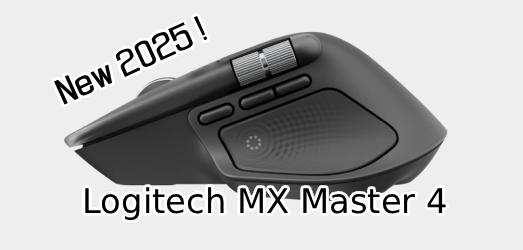
Logitech has returned once again with a major upgrade to its beloved MX Master series, a favorite among professionals a…
Read more

วันนี้เราจะมาดูวิธีการตั้งอีเมล์ officail กันครับ ว่าจะมีขั้นตอนการอย่าไรบ้าง เบื้องต้นเรามารู้จัก google workspace กัน…
Read more

Onsen Mon Jam is located in Mae Rim District, Chiang Mai Province. Inspired by Japanese onsen, it is nestled in nature …
Read more
Google Search Console is a free tool provided by Google designed to help website owners and SEO specialists monitor and…
Read more

A robots.txt file is like a signpost for search engine bots like Google, telling them which parts of your website they …
Read more

Google Analytics is a powerful tool for tracking and analyzing user behavior on websites and applications. It provides …
Read more
If your Google Business Mail or Google Workspace (formerly G Suite) is not receiving messages or emails, it could be du…
Read more

HTML (HyperText Markup Language) is a markup language used to create and format documents on the web. It forms the fund…
Read more